Release 1.18.0
Key Highlights
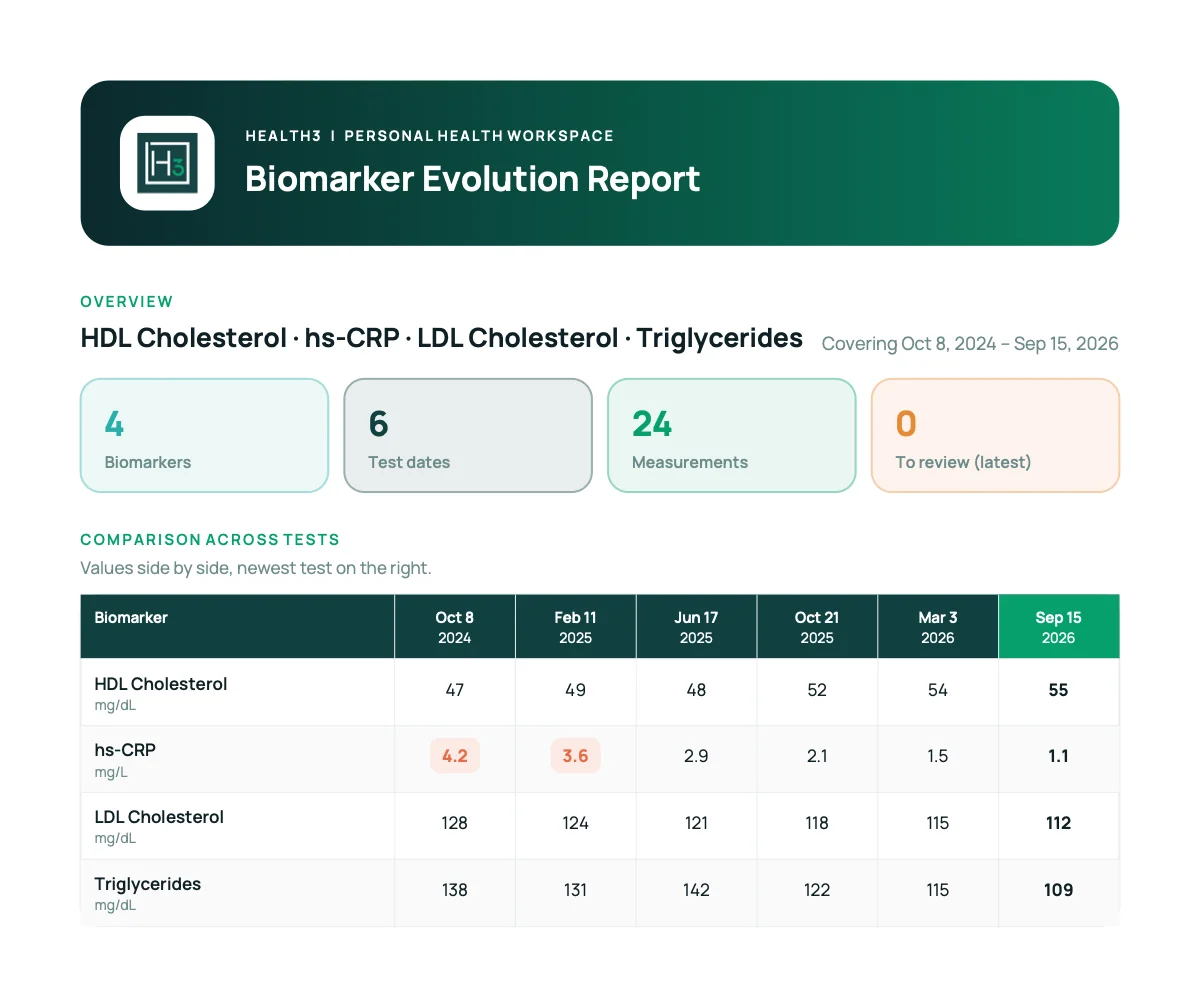
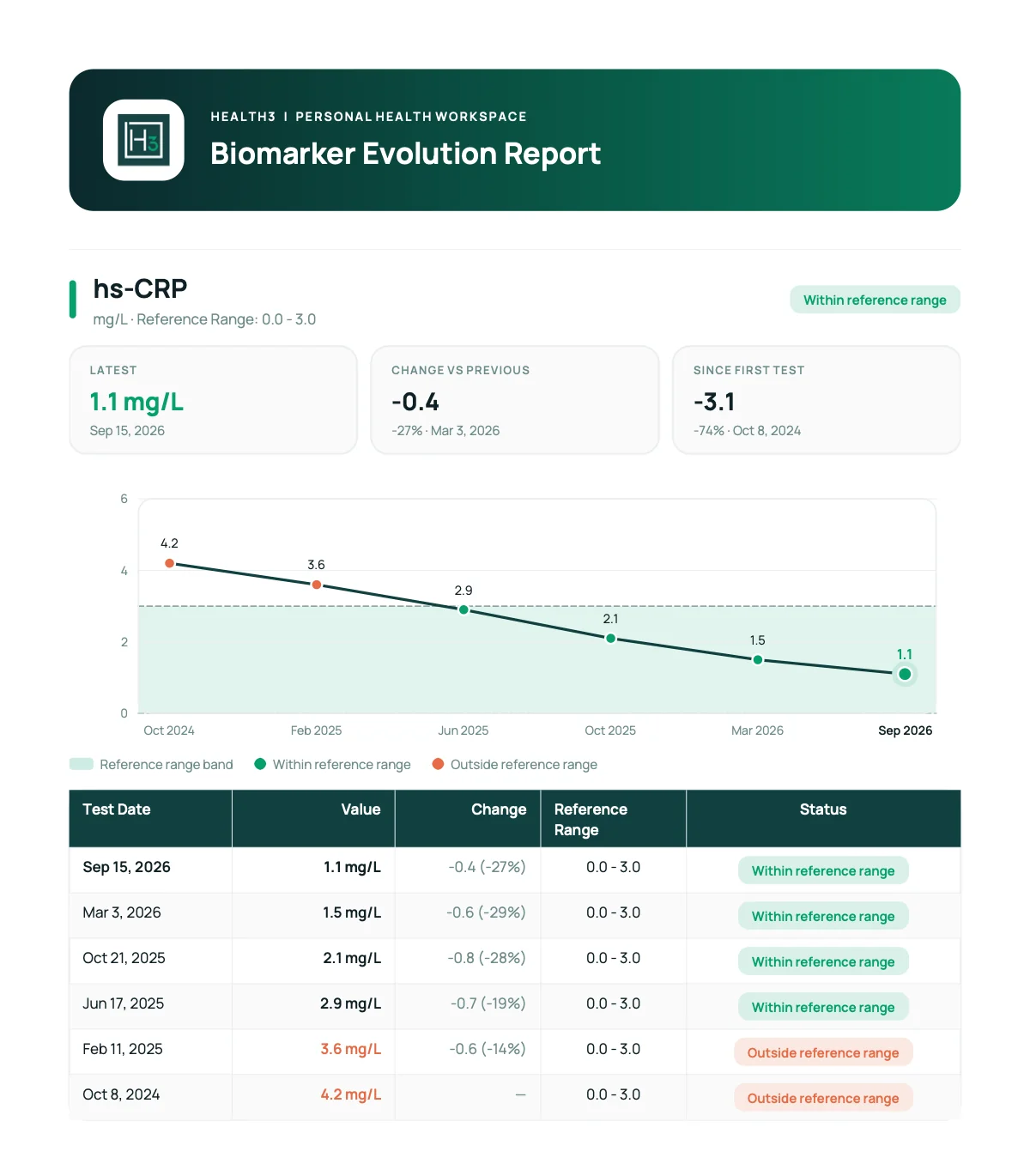
- Pick the biomarkers you want and export them as a PDF, with a trend chart, a test-by-test comparison and the full history for each one.
Selected-biomarker PDF export
- Choose the markers in Results or in the Biomarker Library, for example your lipid panel and hs-CRP.
- The report opens with an overview of all chosen markers side by side, then gives each biomarker its own page with a trend chart and the full history.
- Long histories get a summary: first, previous and latest value, the change, and the number of measurements.
- The full-history PDF export is still available.
Easier manual entry
- Find a biomarker by its name or by the synonym printed on your lab report, and see the available units before you choose.
- Interrupted entries are saved as drafts you can pick up later.
- New entries start with today's date.
- Biomarkers without values offer "Add first value".
- When two results of the same biomarker share a date, both rows are highlighted while you edit.
Clearer imports
- After scanning a report, the entries that need your attention come first, with the field to fix highlighted.
- iOS: Apple Health import keeps lab dates, avoids duplicates and opens each test date as its own report. Where clinical records are not available, it offers PDF or photo upload instead.
More precise unit conversions
- More precise conversions for hemoglobin, calcium, urea/BUN and percentage values, consistent across all 25 app languages.
Example export
Example PDF made with the app's export and demo data, generated on .
Both pages come from one example export. Select an image to open it in full size.