Release 1.20.0
Key Highlights
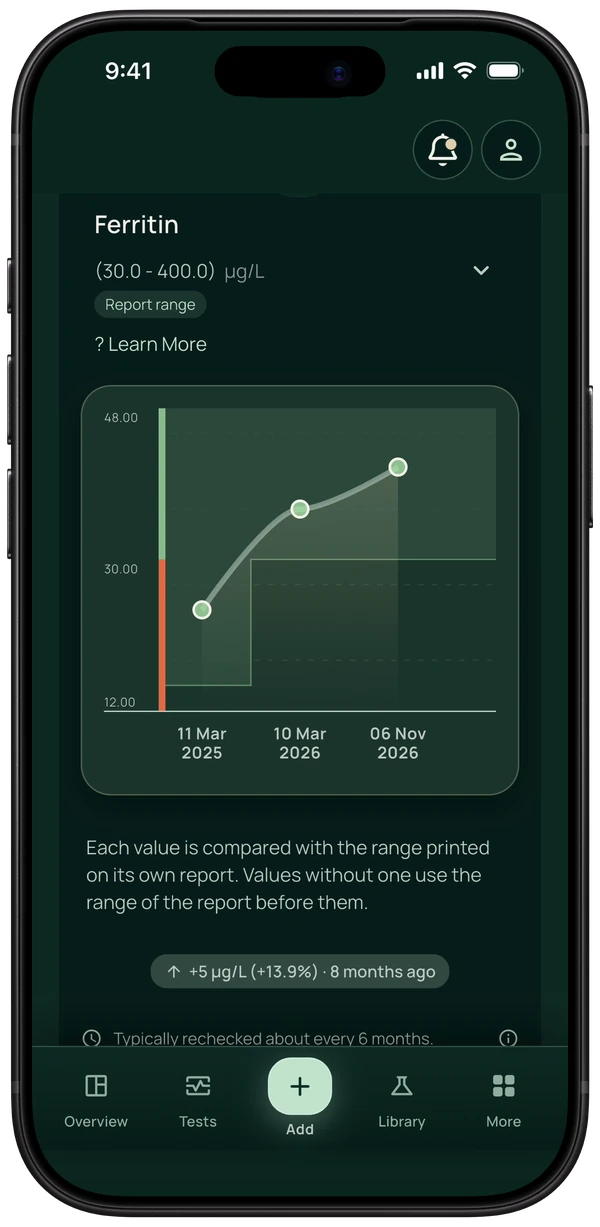
- Ranges printed on a scanned lab report are now read where possible. When reports print different ranges for the same biomarker, each result keeps the range from its own report.
New
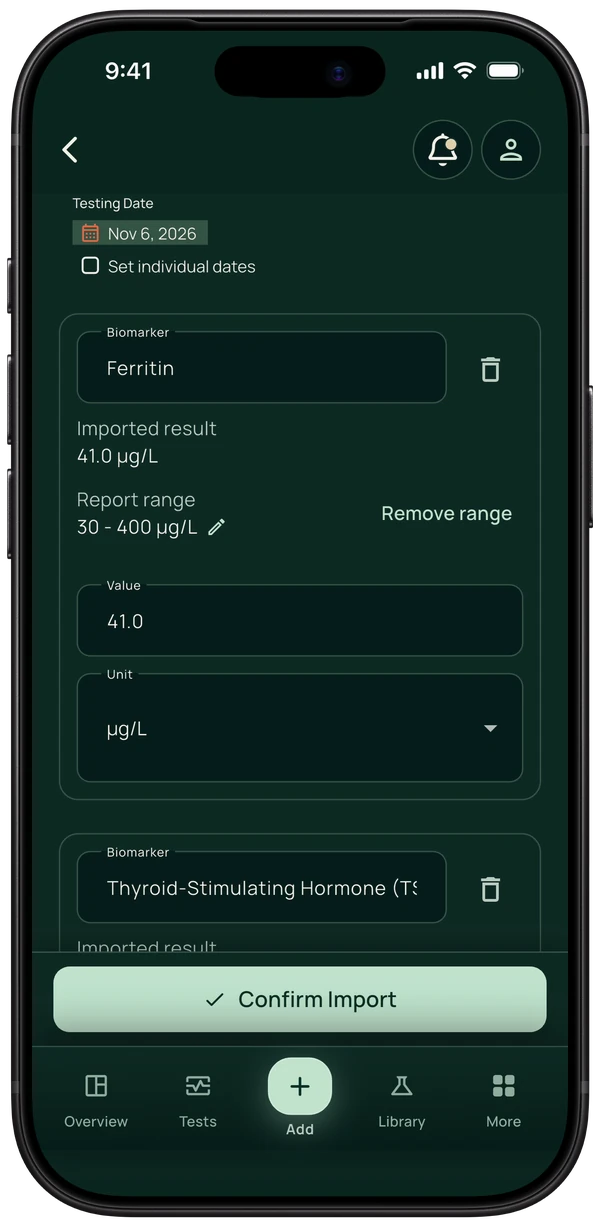
- Ranges printed on a scanned lab report are now read where possible. They appear in the import review and are saved with each result unless removed, labelled "Report range". A range that was read wrong can be corrected there and on the biomarker page.
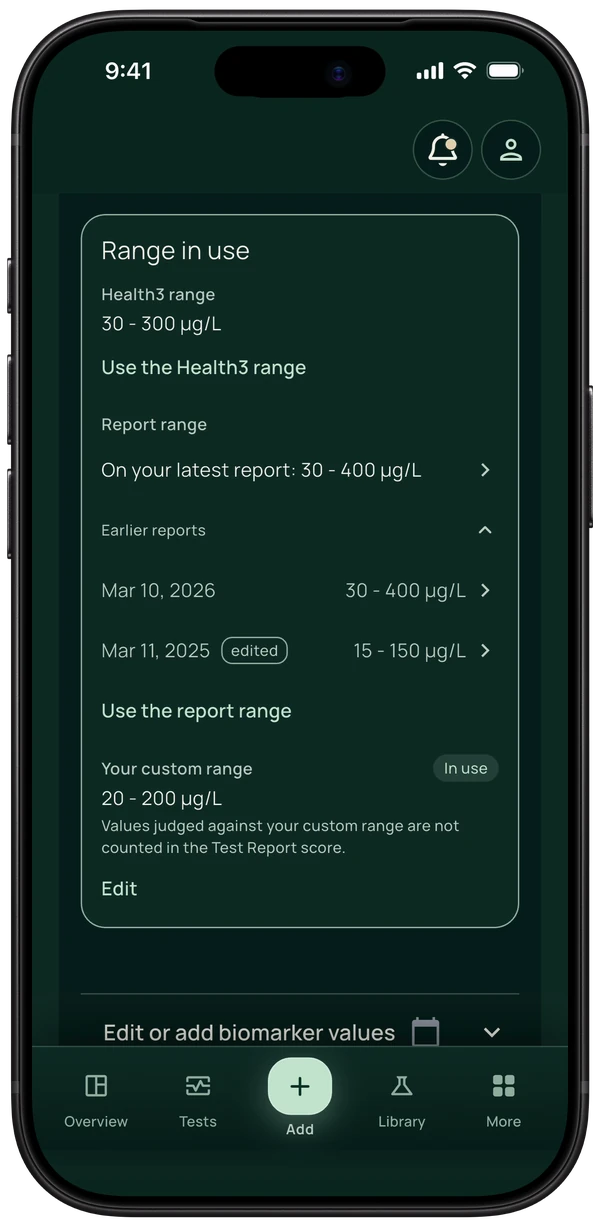
- Your custom range: on a biomarker page, a range from a lab report or a clinician can be entered for that biomarker (Premium). It is labelled "Your custom range" and can be removed at any time.
- When reports print different ranges for the same biomarker, each result keeps the range from its own report.
- Insight cards are optional. New accounts choose on the "Insight cards" card, and Settings has an Insights switch. When insights are off, biomarkers are not used for insights and no cards are shown.
- Apple Health, where it offers lab results (United States, United Kingdom, Canada): when access to lab results is missing, the app shows where to turn it on. Health3 reads lab results from Apple Health and writes nothing to it.
Fixes
- Navigation labels fit at the largest text size.
- Deleting an account no longer requires a reason.
In the app
Screens from the app with synthetic demo data, recorded on .
Select an image to open it in full size.