What you can do with Health3
Organize existing lab results on iOS and Android.
The product at a glance
Health3 is a blood test tracker for iOS and Android. Upload supported lab result PDFs and report photos into one history, review extracted values, and track 300+ biomarkers over time. Add lifestyle journal entries, explore reference sources and biomarker relationships, and export reports. On iOS, you can also import supported Apple Health Clinical Records. Health3 provides educational context and does not diagnose or recommend treatment.
Track 300+ lab biomarkers across lipids, hormones, nutrients, glucose, liver, kidney, blood counts, fatty acids, urine results, and trace elements. Search the in-app library to confirm a specific marker. Older app versions may show fewer.
Which biomarkers does Health3 support?
Find out which lab results Health3 can track, how to search its biomarker library, and what to do when an imported marker is missing.
Feature guideUpload a lab report PDF and track its biomarkers over time
Upload supported lab result PDFs or report photos, review the extracted values, and track 300+ biomarkers over time. File limits and free versus Premium scanning.
Feature guideSee your lab results across different test dates
Keep lab results by date, review biomarker history, compare tests, and add lifestyle journal context in Health3 on iOS and Android.
Feature guideUse Health3 with reports in different languages
Learn how Health3 interface languages, translated biomarker content, and multilingual report recognition differ across app versions.
Feature guideImport supported clinical lab records from Apple Health
Bring supported clinical lab records from Apple Health into Health3 on iOS, with original test dates and limits explained.
Feature guideReview the source behind a biomarker reference range
Browse available biomarker reference ranges and their sources in Health3 while keeping laboratory context and individual decisions separate.
Feature guideExport your saved lab results
Export a single Health3 test, full test history, or a topic report as PDF, or save a Test Report as an image.
Feature guideExplore educational context alongside your lab history
Explore Health3 educational insights, biomarker relationships, and Health Journey alongside your saved lab history, with free previews and Premium access explained.
Inside the product
From an existing report to a history you can keep
See what the Health3 workflow involves before deciding whether it fits your reports. These are descriptions of our own product, not a comparison of extraction accuracy.
Bring a report you already have
Choose a supported PDF or photo, or enter supported results manually. Ongoing automated scanning requires Premium. See the import workflow and limits.
Review, then follow the history
Check extracted names, values, units and the test date against the original before saving. Use dated history to view recorded results over time. See how history is organized.
Take a copy with you
Export a test, history or topic as a PDF, or save a Test Report image. Keep the original laboratory document too. Compare the export options.
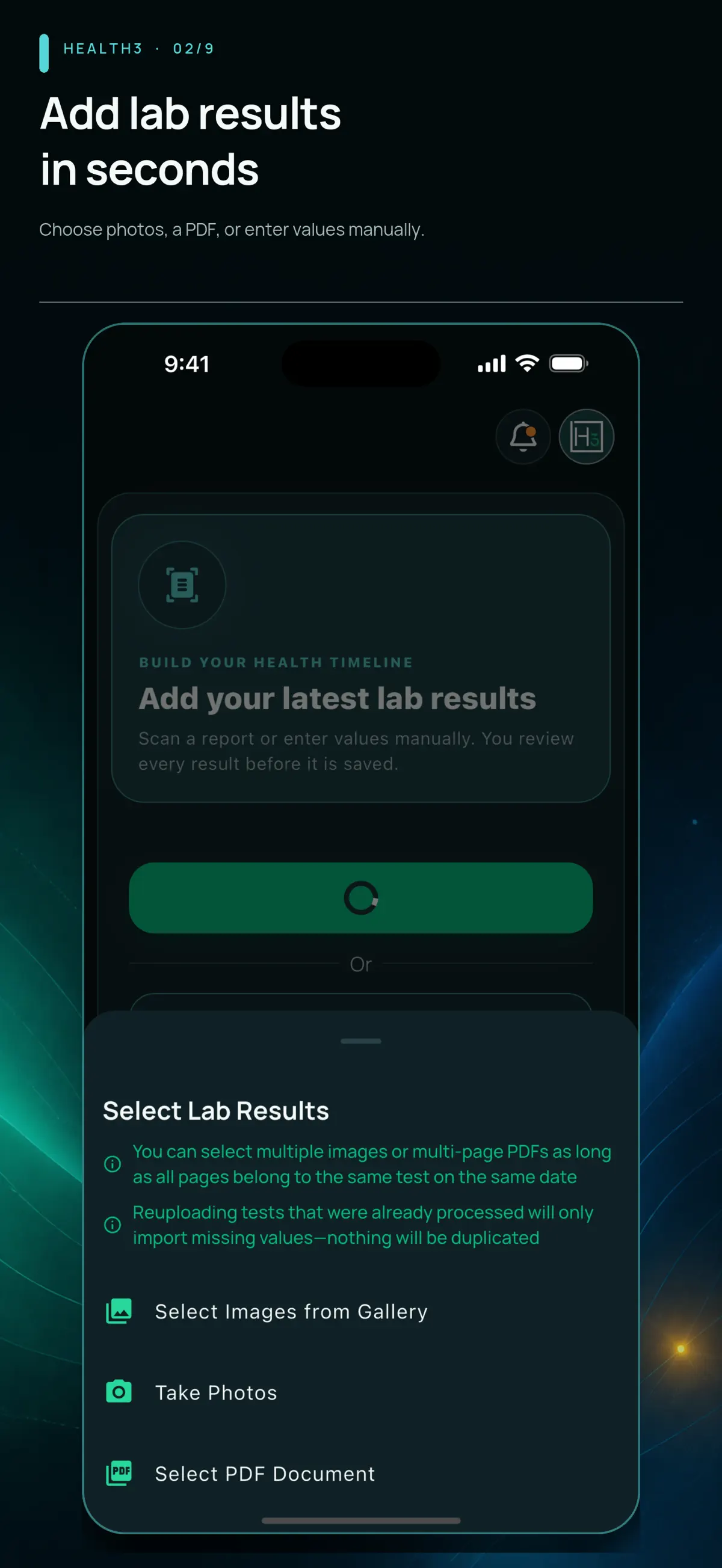
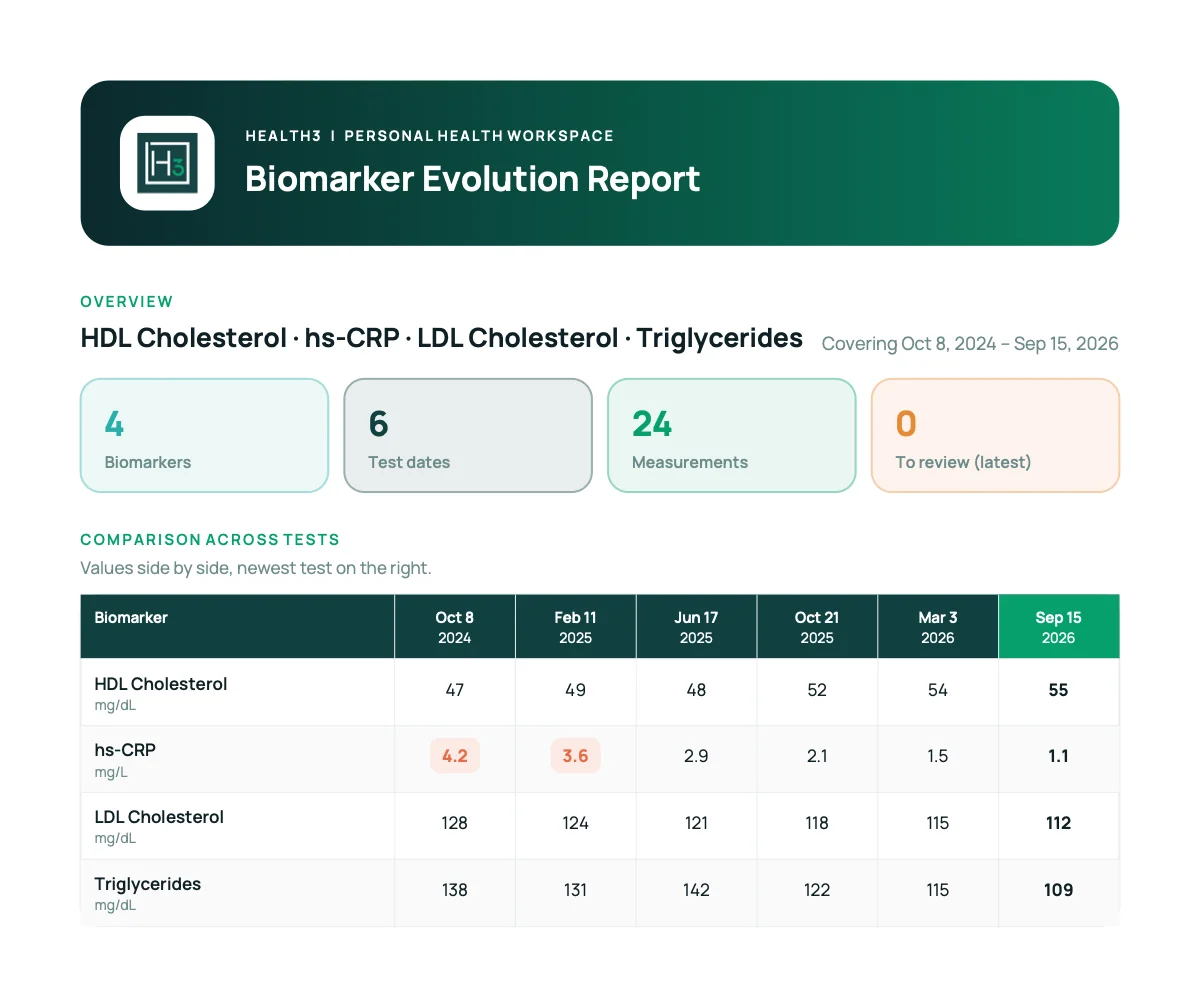
Import artwork from the published September 5, 2026 screenshot archive; the export example comes from the 1.18.0 release notes. Screens show that version's interface; appearance and access can differ by installed version. Select an image to inspect the original.
What to check before choosing a tracker
Start with the supported-marker guide, your report's units and language, the export you need, and the data-handling policy. Health3 organizes information and does not diagnose or recommend treatment.
Compare the documented options · Get Health3 for iPhone or Android
Video guides
Narrated walkthroughs of importing a lab report, tracking one biomarker over time, and exporting results: Health3 video guides.
Journal, reminders and exports
Record dated lifestyle entries, keep reminder settings, and export a test, a topic or the full history as PDF. Test Reports can also be saved as an image. Exports are created only on request.
Mobile access and Premium
Health3 is currently available on iOS and Android. The web app is temporarily unavailable. Ongoing automated report scanning requires Premium; onboarding access and offers are shown in the mobile app.
US iOS in-app purchases listed on September 5, 2026: $9.99/week, $14.99/month, $99.99/year, or $149 lifetime. Prices and available offers vary by country, platform, and account.
Data handling
Your Health3 account uses cloud storage and server processing for report imports. The privacy policy explains service providers, retention, analytics choices and account deletion. Read the privacy policy.
Compare your options
Health3, Carrot Care, Ornament, Soka and other blood test tracking options.
Product documentation reviewed September 5, 2026; mobile-only availability updated September 7, 2026. Features can differ by platform and installed version.
Start with your existing results
Get the mobile app to organize your existing results.
Get the Health3 app